2024-09-23 assignment
revisit this site
First go back here to the beginning through the chapters and sites we had a look at so far.
revisit Session / Arrangement view and especially how they interact. This is an essential concept of Ableton. Skip the Interface walkthrough, skip the mixer flowchart. then come back here.
make clip variations
download this set here: 04 Clip Envelopes
your result could sound like this: one possible result
-
open and duplicate the first scene, by right clicking on the scene on the right:
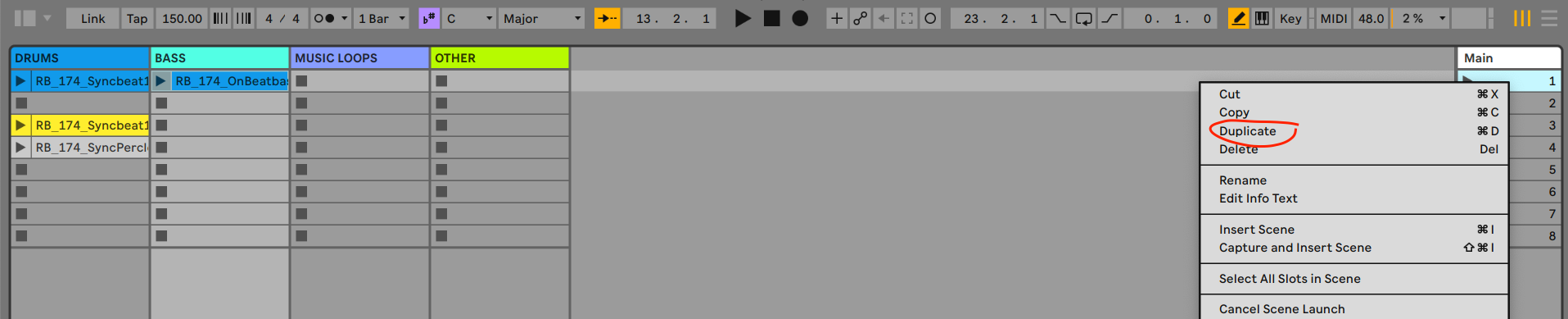 I want you to have a clip variation of these scenes by manipulating the clip envelopes as was explained here
 -
give the variations of the clip a different color, it should look like this:
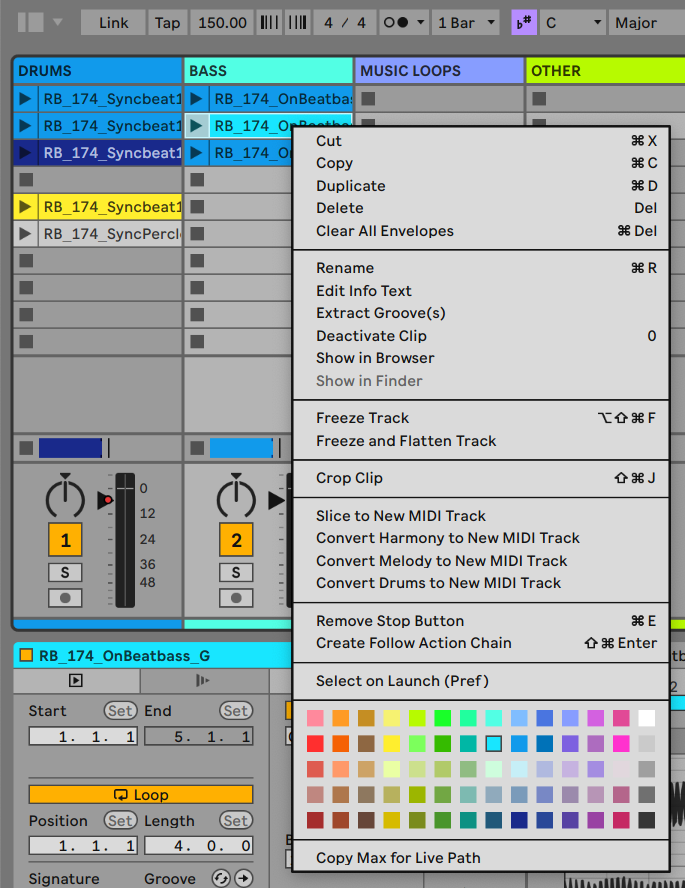
-
now:
- switch to the clip detail view of the bass clip,
- then Envelopes
- select Clip / Transpose,
- press
bto activate draw mode - draw a transpose around the 3rd bar of the clip
you might want to use the expanded clip detail view with
cmd-alt-E(mac) orctrl-alt-e -
now do the same with the drum loop in scene three and manipulate the clip gain.
-
if you like, make an (quick) arrangement with those three scenes, export and upload an mp3. You might as well just send me the ableton set (file).
Enjoy!