Sampler
Sampler
History of sampling:
0:43 https://youtu.be/SZGobMX9I48?si=zxXGmeWK5qsNgyQy&t=43
What is a sampler:
from 0:10 https://youtu.be/hjSEIxzP52o?si=XmtB0luyPD5nFs9r&t=10
let’s have a look at Ableton’s sampler:
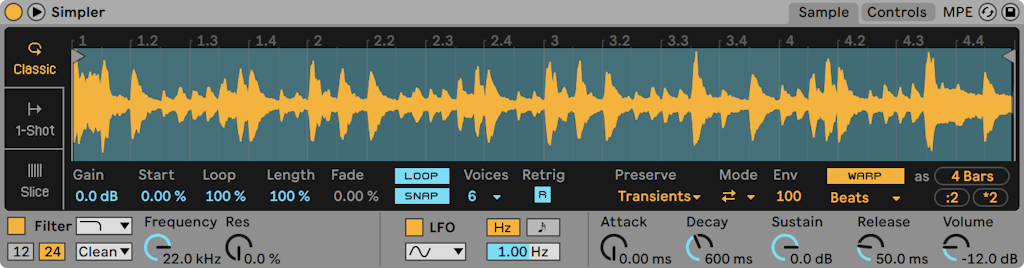
In Ableton this device is called SIMPLER and you’ll find it in the INSTRUMENTS category in the browser. Download this set to follow along:
simpler projectHow? Where? etc
To load a sample into the simpler just drag and drop a sample on the main window.
Most important is to understand that there are different modes sampler can operate:
- “Classic” - like an “old-school” sampler
- “One-shot” - for drum hits
- “Slice” - to divide a sample into bits
I’ll explain everything in class, here are some talking-points:
- Midi Input -> Sound Output
- Polyphonic vs. monophonic
- Trigger vs. Gate
- Transpose & reference note (C3)
- Start & End
- Fade in & fade out
- Warping
When you have a basic understanding of how it works, let’s move on and take a look at the slicing mode.
Download some vocal samples here that you can use later in either the project HypnoticEnergy or RetroGrain.
Vocal Samples