Beatmaking
Make a beat
Ableton made an excellent starting lesson for this: Getting started making music - Beatmaking
How can we do this in ableton?
let’s talk MIDI!
- download these project files here: Beatmaking Sets
- create a new midi clip on Track 1, double click it to edit
- make sure the grid is on fixed 1/16
- turn on Draw mode (shortcut:
B) - now you can “paint” a beat, like on the website.
- if you don’t hear anything, when you click, make sure you have turned on preview:
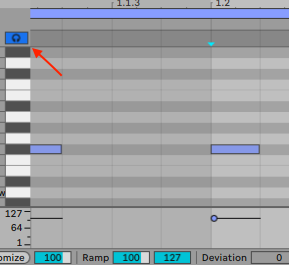
- to change how “hard” a sound is played, you can change the velocity of a note. Hold down
cmdand click & drag up/down
make variations of your beat
- duplicate the midi clip with
cmd-d - edit the copy to have a variation
use a different drum kit:
- go into the browser, “Drums”, filter by Drum Kit:
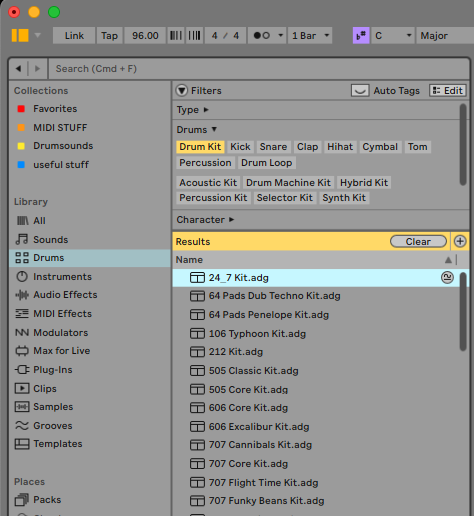
- prelisten and select a Drum Kit an pull it on a blank Midi Track
- you also use the hotswap button to exchange the kit
make your own drum kit!
- create a new midi track
- drag & drop an empty Drum Rack on that track
- look for 4 sound: Kick, Snare, closed Hihat, open HiHat
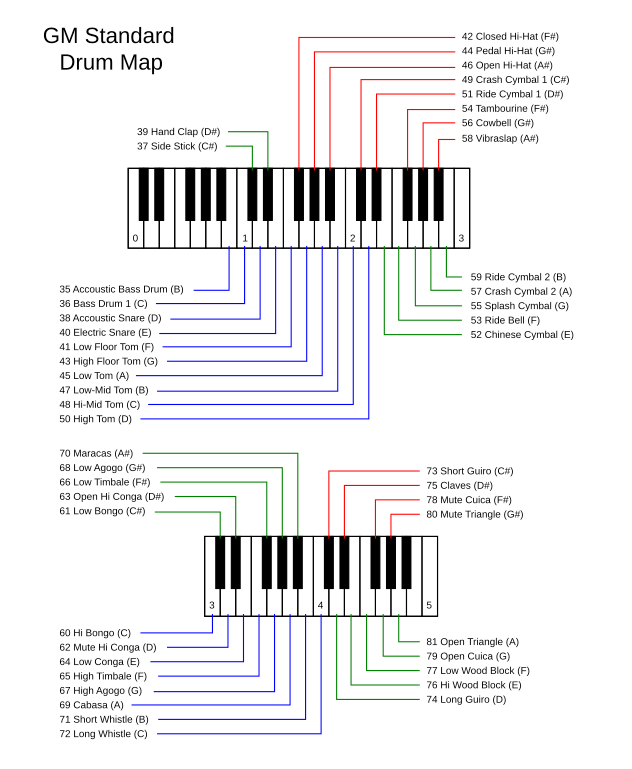
- there is a “standard” way to place the sound on the notes:
- Kick on C1
- Snare on D1
- closed Hi-Hat on F#1
- open Hi-Hat on A#1
this is a list for all standard notes for Drums / Percussion:
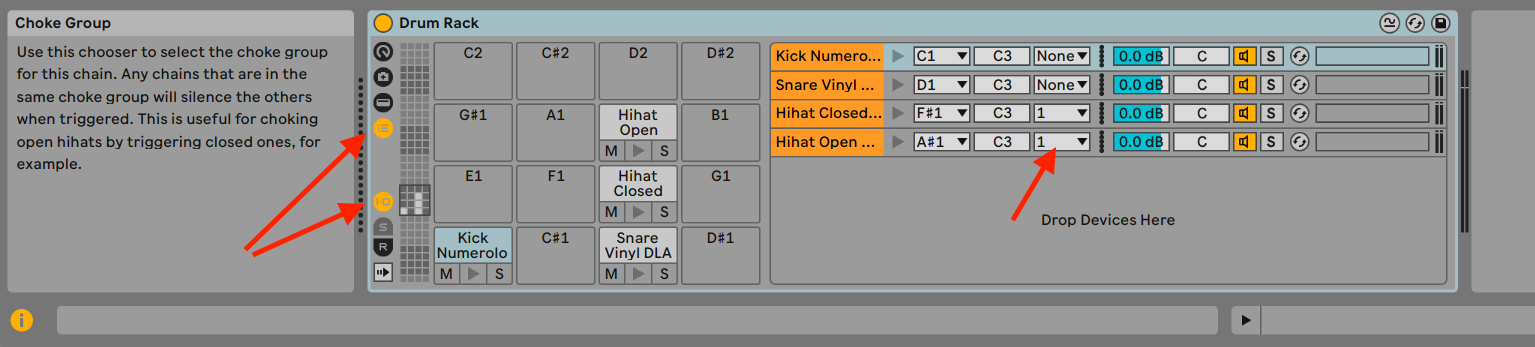
choke-groupes
- to make the open HiHat stop if the closed HiHat is played you have to set those pads as the same choke group: